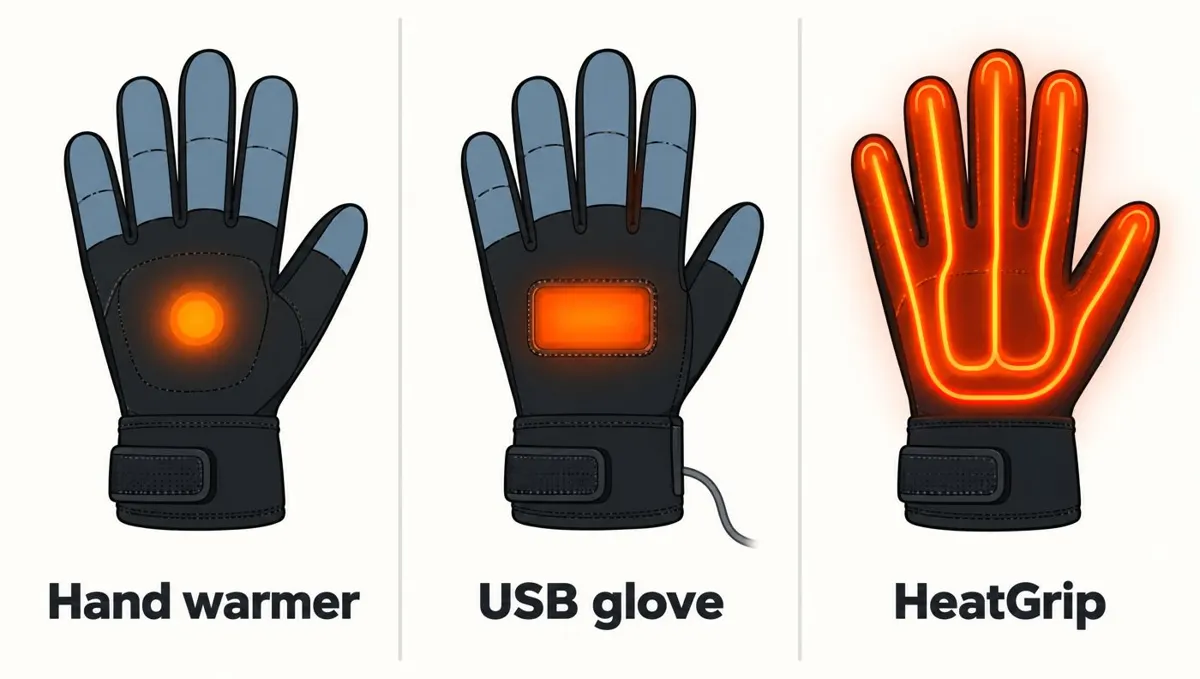
Quick answer
- 1
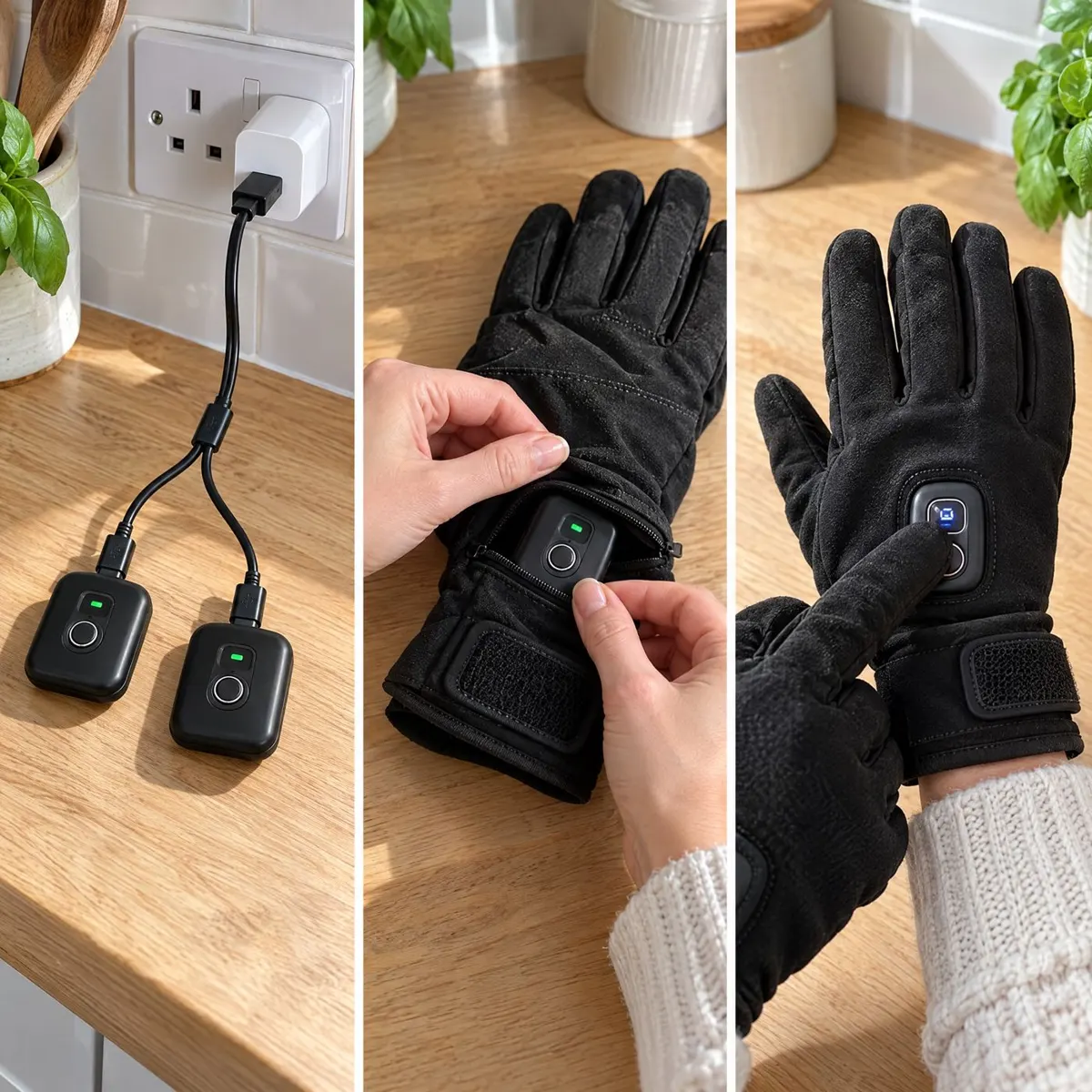
Charge
Plug the two batteries into any USB plug overnight.
- 2
Press the button
Hold the button on the back of each glove to switch on.
- 3
Warm in ~8 seconds
Heat reaches every fingertip. Choose low, medium or high.
Rather than relying only on insulation to hold in warmth, HeatGrip has battery-powered heating elements built into the gloves. Here is a practical guide to the parts, controls and care. Use the gloves as directed and remember that they are water-resistant, not waterproof.
1. Heat loops warm the fingers
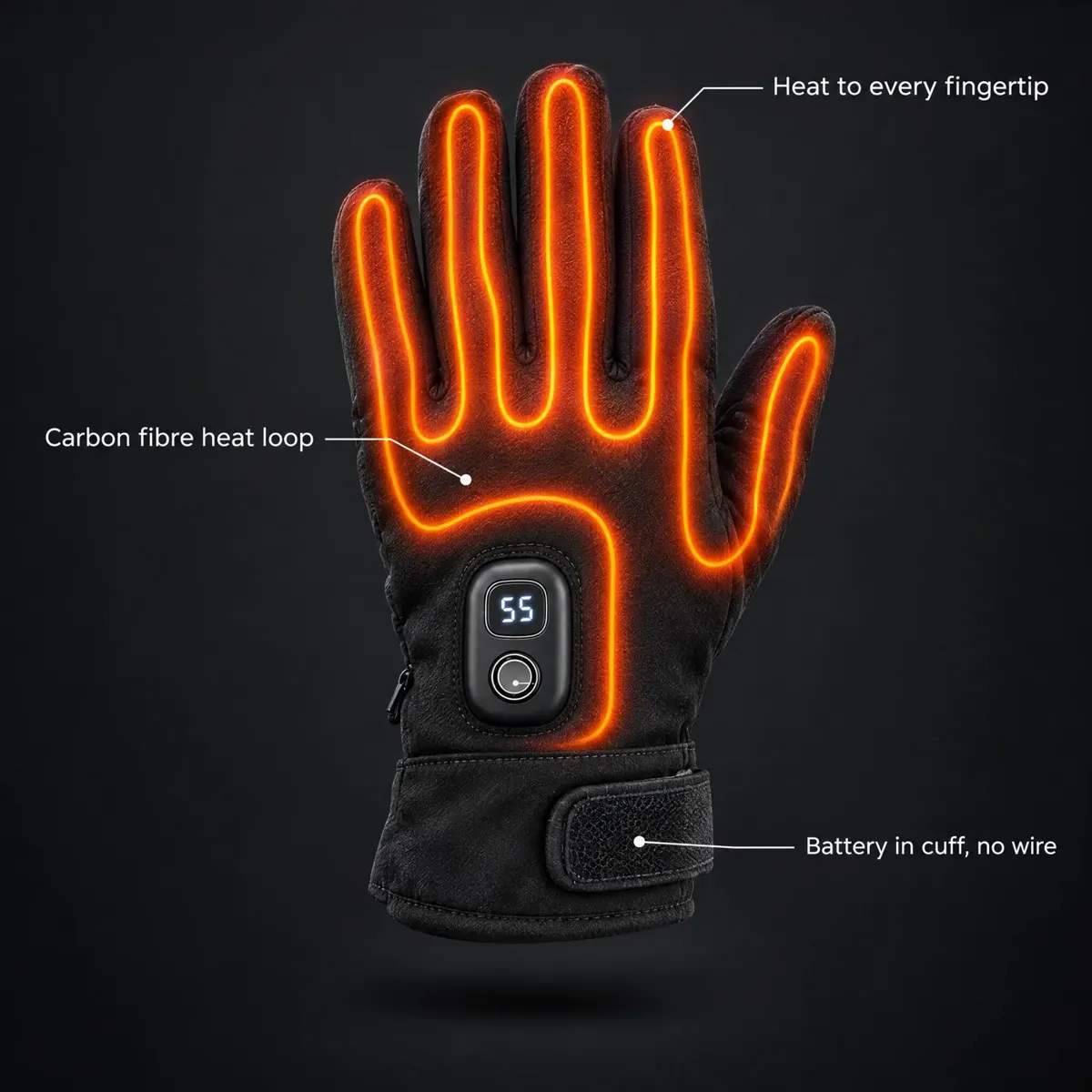
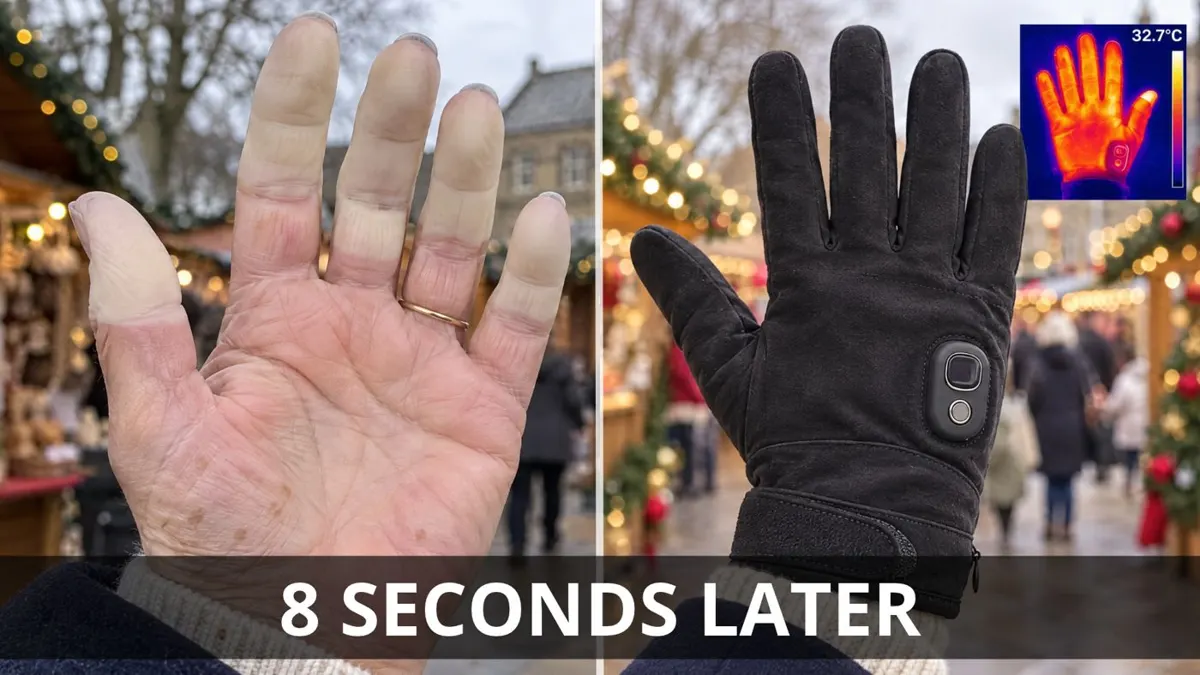
Flexible carbon-fibre heat loops sit on the back of the hand and extend along every finger to the tip. The aim is to bring warmth across the fingers, rather than only to one area of the palm. HeatGrip warms in about 8 seconds, though what you feel can depend on the conditions, fit and how you use the gloves.
The loops are powered by rechargeable batteries, one for each glove. This is a description of the design, not a medical claim: HeatGrip is not a medical device or protective equipment.
2. Charge and fit the batteries
Each cuff has a zipped pocket for its battery. Two batteries and one USB cable are included with a pair. Remove the batteries to charge them with the supplied cable, then place one battery in each cuff pocket and close the zips. Keeping the batteries in the cuffs means there is no need to plug the gloves into a phone.
The low setting lasts longest, but exact battery hours are not stated here because they can vary. If a particular running time is important for your plans, ask us for the available information before buying. Do not assume a runtime based on another heated glove.
3. Choose one of three heat settings
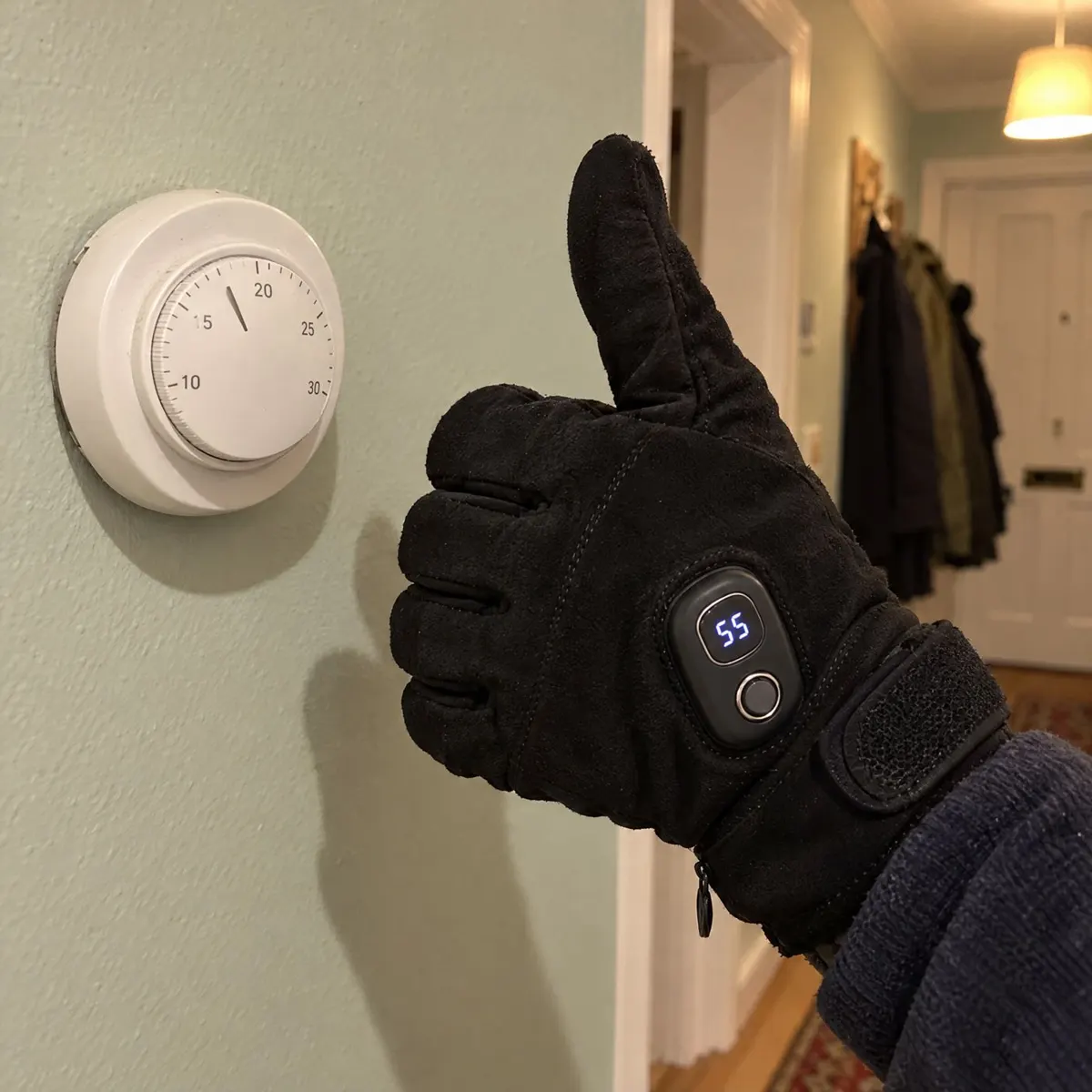
Use the button on the glove to operate the heating and choose low, medium or high. The control is designed to make it possible to adjust the level without a complicated menu. Try a setting that feels comfortable for your activity and conditions, and change it as needed.
- Low: the setting that lasts longest.
- Medium: a middle heat level.
- High: the highest of the three available settings.
No exact battery-life figures are given for each setting. If warmth or runtime is a deciding factor, contact us rather than relying on an estimate.
4. Use the fit and touch features
HeatGrip fits palms measuring 18–24 cm and has a Velcro cuff to help adjust the fit at the wrist. Check your palm measurement before ordering; fit affects comfort and how well the glove suits your hand. The thumb and index finger are touchscreen compatible, so you can use a compatible device without taking the glove off for every interaction.
The outer material is water-resistant, but not waterproof. Do not use that feature as a reason to soak the gloves or treat them like waterproof gear. If you need advice on safe use, see our heated-glove safety guidance.
5. Hand-wash after removing batteries
Before cleaning, remove both batteries from their zipped cuff pockets. Hand-wash the gloves without the batteries inside. Do not put batteries in water. Allow the gloves to dry fully before putting the batteries back. For any care question not covered by these instructions, contact us before washing.
For more product information, read the HeatGrip FAQ, compare rechargeable heated gloves, or review heated-glove options.
Heat settings at a glance
Low
Gentle warmth for mild days and longer outings. Lasts longest.
Medium
Everyday warmth for commutes, school runs and dog walks.
High
Maximum heat for frosty mornings and very cold, still days.
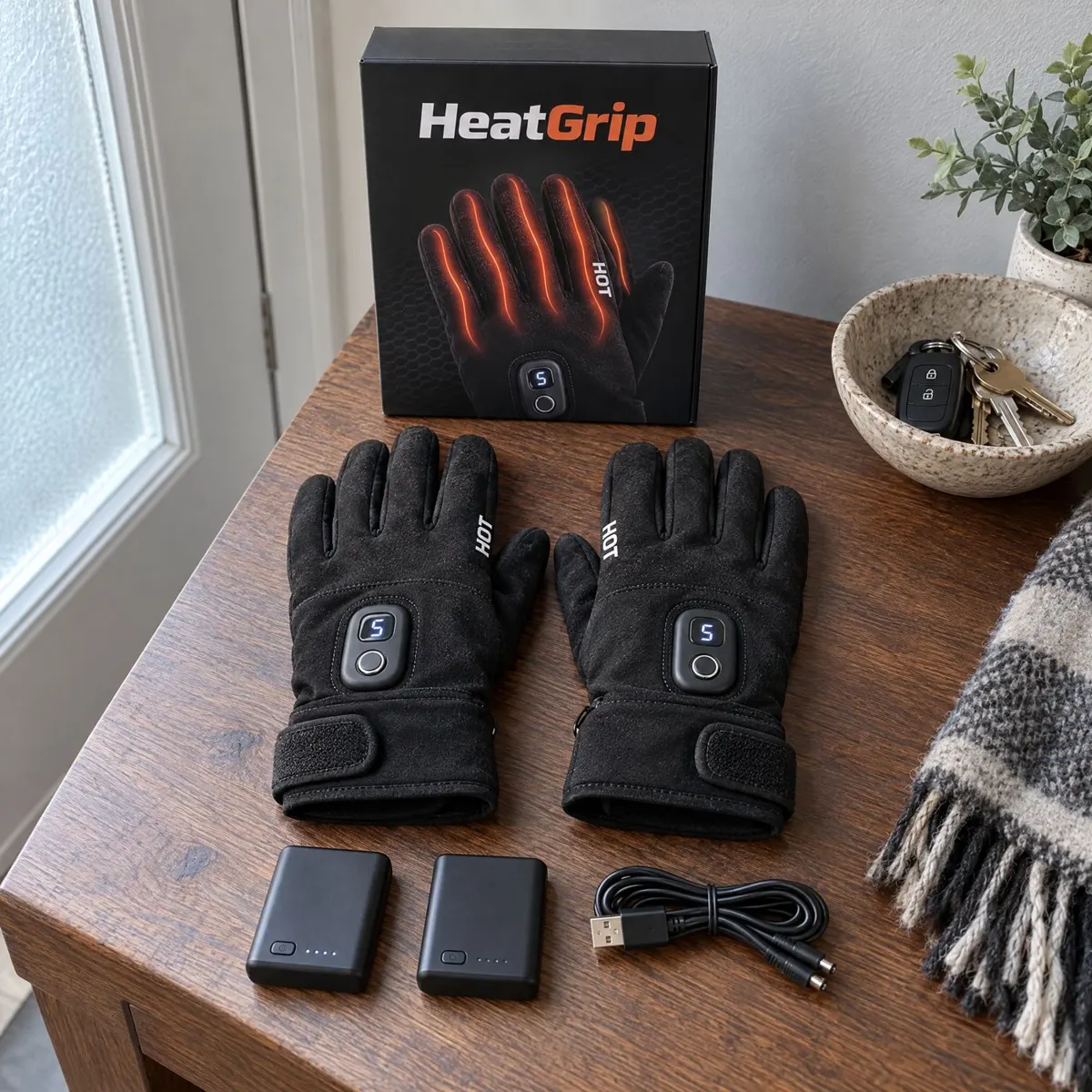
What's in the box
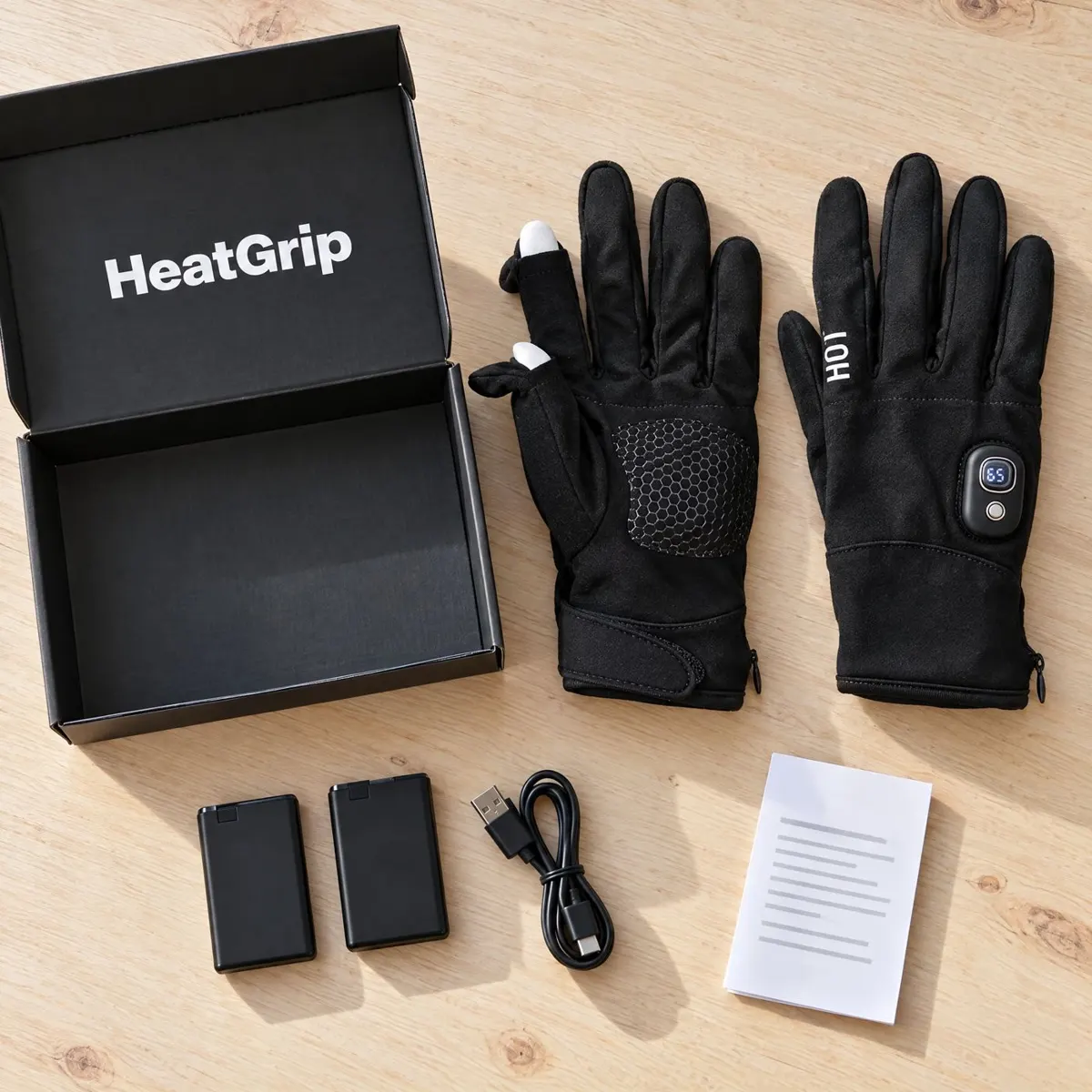
- 1 pair of HeatGrip heated gloves
- 2 rechargeable batteries (one per glove)
- 1 USB charging cable
Troubleshooting
The glove isn't warming
Check the battery is charged and firmly connected in the cuff pocket, then press and hold the button again.
A battery won't charge
Try a different USB plug and check the cable is pushed fully in. If it still won't charge, contact us.
One hand feels warmer
Check both gloves are on the same setting and both batteries were charged for the same time.
Still stuck? Contact us and we'll help, or use your 90-day money-back guarantee.
Before switching the heat on
Check that the gloves, batteries and charging cable are in good condition. Charge the batteries using the supplied USB cable and follow any instructions supplied with your pair. Keep the batteries out of water and do not try to wash the gloves while they are installed. Place one battery in each cuff pocket and make sure the pockets are zipped before wearing the gloves.
Choose gloves that fit properly: the stated palm measurement is 18–24 cm, and the Velcro cuff adjusts at the wrist. The heating elements sit along the back of the hand and fingers, so avoid folding or handling the gloves in a way that could damage their internal components. If anything looks damaged, stop using the item and contact us for guidance.
Using heat in everyday conditions
Start with one of the three settings and adjust to a comfortable level. The low setting lasts longest, but we do not list exact hours because battery life varies. Cold weather, the chosen setting and the way the gloves are used can all affect how long a charge lasts. Ask us if you need more specific battery-life information for planning.
Warmth is personal. The about-eight-second warm-up describes how quickly the gloves begin to warm, not a promise that every wearer will feel the same temperature. Keep ordinary cold-weather precautions in mind and take breaks if the gloves do not feel comfortable. Heated gloves are not a treatment for a health condition.
Care and storage
When you have finished using the gloves, switch them off and remove both batteries before hand-washing. Keep the batteries and electrical parts dry. Let the gloves dry fully before fitting the batteries again, and store the batteries safely. Do not assume that water-resistant fabric makes the gloves suitable for immersion or heavy rain.
- Remove batteries before washing.
- Hand-wash the gloves; do not wash them with batteries inside.
- Keep the batteries dry and follow their supplied charging instructions.
- Ask us if you are unsure about care or battery use.
The touchscreen-compatible thumb and index finger allow use with compatible touchscreens, although response can depend on the device. The rest of the glove is designed around warmth and fit rather than waterproofing. For a fuller overview, consult the FAQ or our delivery details. The returns page explains the 90-day money-back guarantee and free return label.
Questions
Where are the heat loops?
Carbon-fibre heat loops sit on the back of the hand and run along every finger to the tip.
How quickly do HeatGrip gloves warm up?
They warm in about 8 seconds. Individual experience can vary with conditions and use.
How many heat settings are there?
There are three settings—low, medium and high—controlled with one button.
How do I charge the batteries?
Remove the rechargeable batteries from the zipped cuff pockets and charge them using the included USB cable. Two batteries are supplied.
How do I wash the gloves?
Remove both batteries before hand-washing the gloves. Do not treat them as waterproof.
How long does the battery last?
The low setting lasts longest. Exact hours vary; ask us for the available battery-life information.
Why UK buyers trust HeatGrip
Tested by us, backed by a 90-day guarantee.
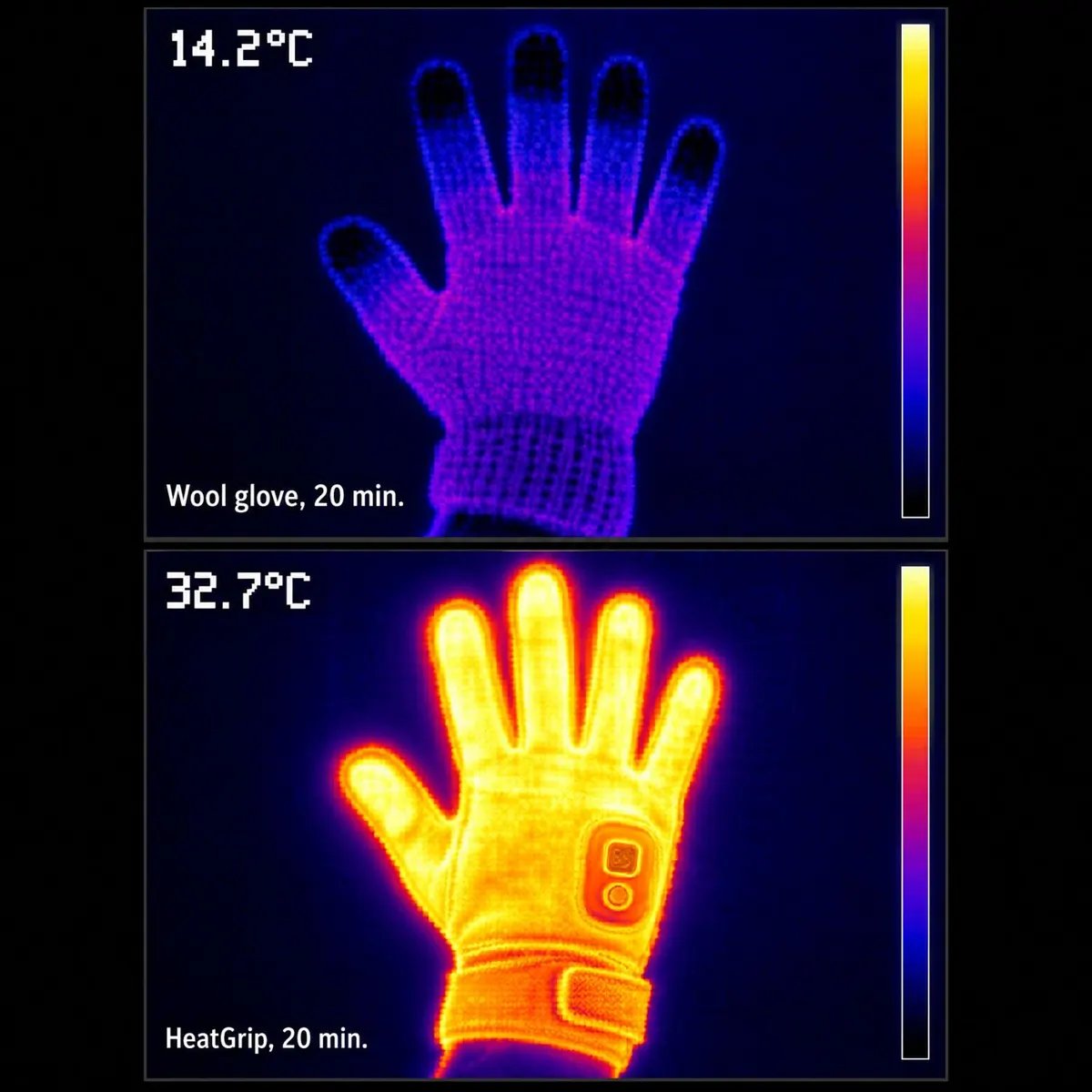
- 32.7°CMeasured inside HeatGrip vs 14.2°C in a wool glove (our thermal test)
- ~8 secTo feel the warmth after pressing the button
- 2 + 1Rechargeable batteries plus charging cable in every box
- 90-day money-backNot warm enough? Full refund, return label on us.
- Dispatched in 24hTracked UK delivery in 2–5 working days.
- Lifetime warranty optionAdd it at checkout for £4.95.
- Secure Shopify checkoutCard, PayPal, Apple Pay and Google Pay.
Bought a pair? Share your review